EdgeLynks · Technical documentation
v1.1.3DocLynks
Author once, publish many. DocLynks treats a product manual not as a word-processing document but as a build output — a structured, versioned PDF generated from your product data, your reusable content and a template.
Why single-sourcing, and not a Word template
When a manual is assembled by hand, a stale voltage rating or a missing warning can survive into print — and in a compliance document that is a liability. Because a referenced item is never copied, a DocLynks manual cannot quietly disagree with the product record or with another manual. Change a value once and every manual that references it is updated on its next render.
How the work flows
01
Products
The single source of truth
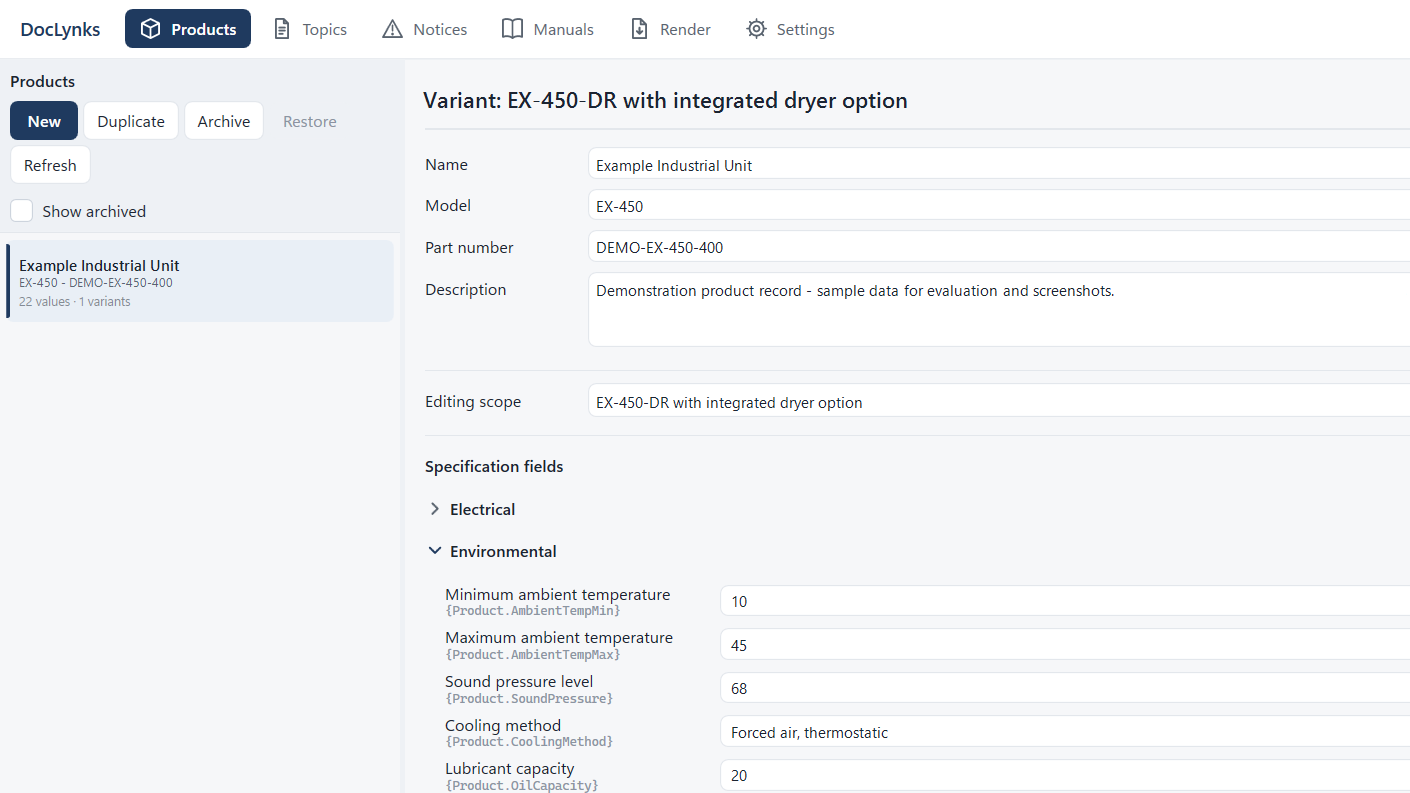
- Specification fields and groups, with Electrical Ratings built in
- Variants and per-variant overrides from one base product
- A standards register, and a Declaration of Conformity generator
- An empty field has no value at all — it is not a blank string
02
Topics
Written once, referenced everywhere
- Markdown editor with syntax highlighting and a formatting toolbar
- Pull live specification values in with {Product.SupplyVoltage} placeholders
- Tags and search, images, and reuse by reference — never by copy
- Author translations alongside the source language
03
Notices
One safety library
- Central safety-notice library with five signal levels and their colours
- Bundled IEC and ISO safety symbols, plus your own
- Edit history on every notice
- An outdated translation of a notice is an error, not a warning
04
Manuals
Assembled, not typed
- Start from an IEC/IEEE 82079-1 aligned skeleton rather than a blank page
- Build a tree of chapters, topics, notices and specification tables
- Choose a template and the output languages
- Document control and revision history on the manual itself
05
Render
A build, with a build log
- Six stages — Load, Validate, Merge, Parse, Compose, Emit — on a background thread
- A full validation report every time, with a jump straight to the offending token
- An unresolved placeholder blocks the render rather than printing a gap
- Byte-identical output from unchanged inputs, reported with a SHA-256
Platform
Windows desktop · one local SQLite file · runs fully offline
Imports
Existing .docx manuals, flagging what was inferred for review
Produces
A versioned PDF per language, plus Declarations of Conformity
DocLynks builds documents from the data you enter. It does not check whether that content is factually correct or whether a product meets any standard — correctness, completeness and regulatory compliance remain the author's responsibility. DocLynks makes single-sourcing reliable, not judgement automatic.
Manuals to write, or a tool to build?
We write product and user manuals on DocLynks as a service — and we build software like it for clients. Tell us which you need.
support@edgelynks.com · +44 (791) 674-0734