Engineering tooling · Bills of materials
Smart BOM Sorter
Merge, normalize, cost and plan multi-sheet BOMs — intelligently.
Our role
Product design · Desktop application · Engine & test suite · Installer
Platforms
Windows 10/11 desktop · Excel .xlsx / .xlsm
Timeline
Delivered · v1.3.0
Overview
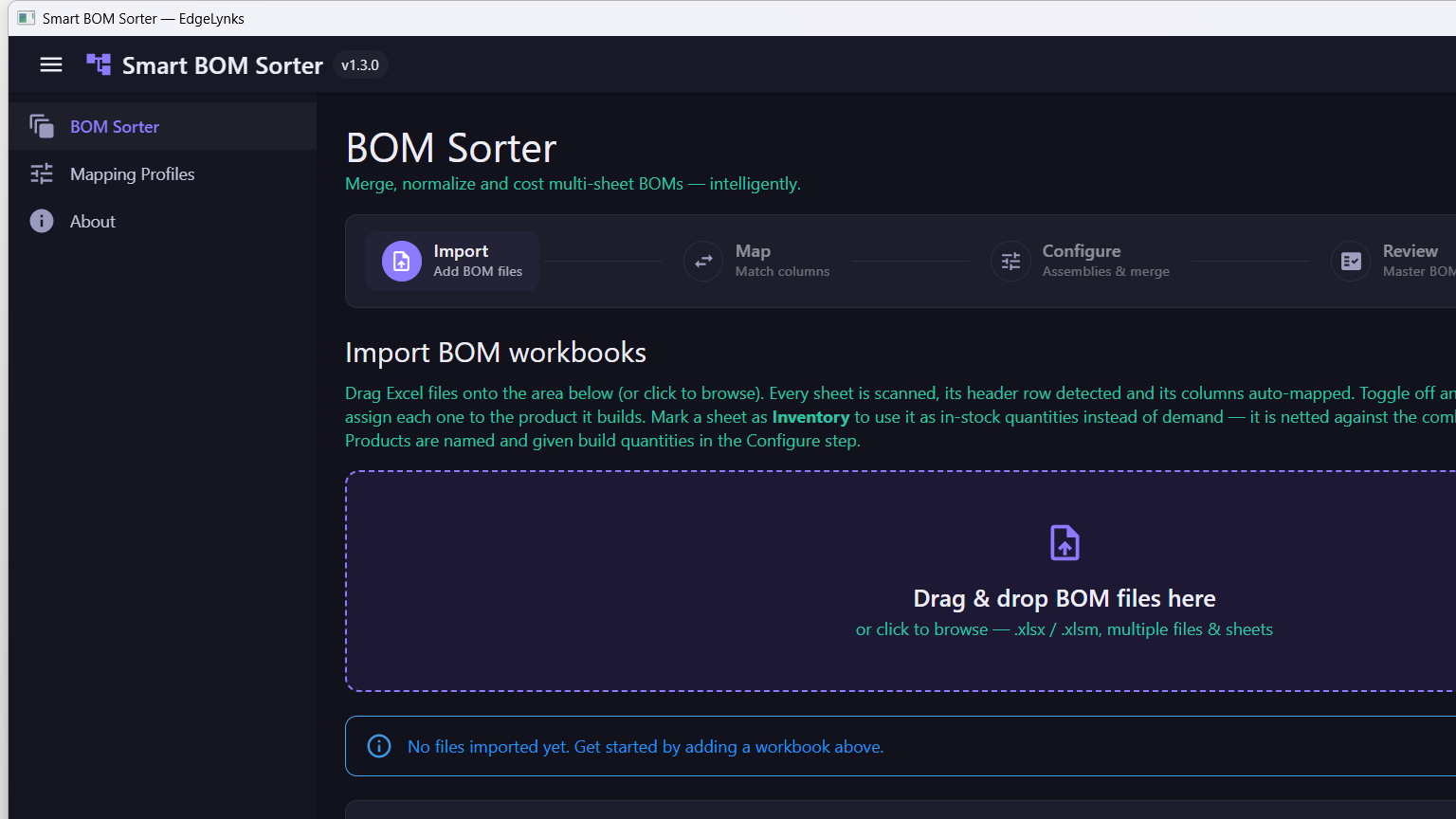
Smart BOM Sorter takes any number of Excel BOM workbooks — each with any number of sheets — and turns them into one consolidated, costed master BOM. Every sheet is scanned, its header row detected and its columns auto-mapped; each is then assigned to the product it builds, so several products can be built at different quantities, each with its own attrition, and costed separately. Separate In-Stock sheets are netted against combined demand to report how many complete units of each product you can build right now, with the remaining shortfall shared out by product priority and broken into a per-vendor purchasing list. Costs are shown in Pounds, Dollars or Euros.
The challenge
Every BOM is laid out differently
Exports name the same column Qty, Quantity or QTY, and MPN or Mfr Part #, with title and notes rows sitting above the real header — so nothing lines up between two files.
A build is more than one board
Costing a real build means combining several assemblies at different build quantities, then subtracting what is already on the shelf — slow, repetitive spreadsheet work where a missed duplicate flows straight through to purchasing.
Our approach
Auto-map, then let the user correct
Columns are matched by synonym dictionary plus fuzzy matching, and the mapping can be saved as a profile per supplier or customer that applies itself on the next import.
Understand reference designators, not just rows
R1-R5, R7 expands to six parts, the prefix infers the category, and the tool lints for missing identity, zero quantities, qty/ref-des mismatches and duplicate designators.
Take it through to purchasing
Unit price times required quantity gives extended cost and cost per board; inventory sheets are netted against combined demand to leave shortages, broken out into a per-vendor purchasing list.
Key features
Multi-workbook import
Many .xlsx/.xlsm files, many sheets each, with the header row detected automatically.
Column auto-mapping
Varied column names — Qty/Quantity/QTY, MPN/Mfr Part # — mapped automatically, with saveable profiles.
Merge & classify
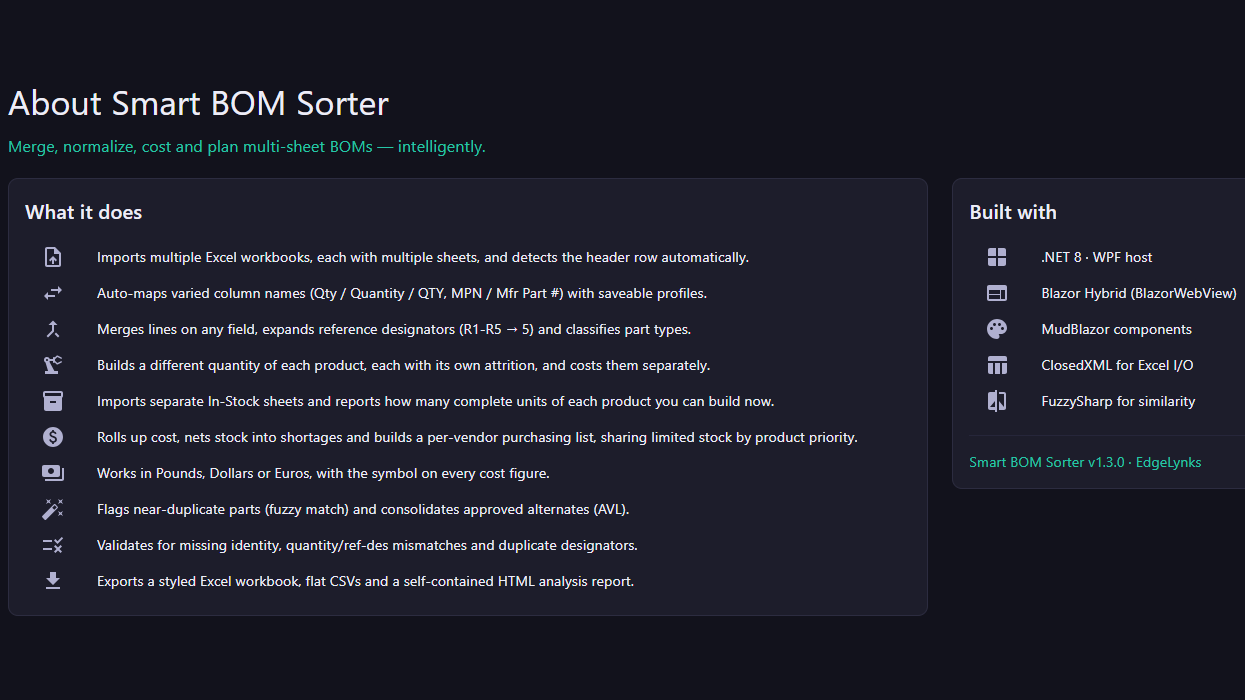
Merges lines on any field, expands reference designators and classifies part types.
Per-product builds
A different build quantity for each product, each with its own attrition, costed separately.
Buildable units
Import In-Stock sheets and see how many complete units of each product you can build now.
Cost, shortages & purchasing
Cost roll-up, stock netted into shortages, and a per-vendor purchasing list that shares limited stock by product priority.
Multi-currency
Works in Pounds, Dollars or Euros, with the symbol on every cost figure.
Dedup & approved alternates
Flags near-duplicate parts by fuzzy match and consolidates approved alternates (AVL).
Validation
Catches missing identity, quantity/ref-des mismatches and duplicate designators.
Three export formats
A styled Excel workbook, flat CSVs and a self-contained HTML analysis report.
Screens
Multi-product
Built and costed together
£ $ €
Costing in three currencies
v1.3.0
Shipped Windows installer
Built with
Building something like Smart BOM Sorter?
We take products from idea to launch — securely, end to end. Let's talk about yours.
Start your project